Resume Format 2026: What Actually Gets You Past the Filter
Summary
The best resume format for 2026 is enhanced reverse-chronological with a Skills section above the fold, single-column layout, and at least 70% of bullets carrying a measurable result. PDF works fine with modern ATS. What matters more than format: exact keywords from the job description in your Skills section, and genuine specificity in your bullets. 70% of candidates now use AI, and recruiters can tell. Run the ATS scan. Keep your own voice.
The resume format 2026 job seekers actually need is not the one that looks nicest as a screenshot. It's the one that clears two separate filters: the ATS machine first, then a recruiter's 6-second scan. For most people, that means enhanced reverse-chronological with a Skills section above the fold. Here's what that actually means for the three decisions you have to make, and why the format advice from 2021 will work against you today.
I ran my own 60-application experiment in 2024, tracking ATS scores and response rates across different formats on identical content. The score gap between a correctly structured resume and a visually polished but ATS-hostile one was 18 points. That gap is the difference between making the shortlist and disappearing into the pile.
Why your format now determines your ATS rank, not just your parse score
97% of companies now use Applicant Tracking Systems. That stat has been true for years. What changed in 2026: modern ATS achieves 94-97% parsing accuracy. So your two-column PDF gets parsed correctly now, mostly. The problem has moved.
The real bottleneck is ranking. ATS does not just parse your resume; it scores it against every other candidate in the pipeline and presents the top-ranked profiles first. Recruiters see your name before or after 40 other names based on that score. Most never scroll past the top 10.
Parsing is mostly solved. Ranking is what's eating your applications in 2026.
The ranking algorithm looks for three things: keyword density relative to the job description, section clarity (does your "Work Experience" header say exactly that?), and structured chronological data. A resume that's visually beautiful but uses non-standard section headers, text boxes, or tables as layout tools scores lower, even when the content is stronger than the competition.
Format is the signal that tells the ATS where to find what it needs. The machine sees your structure before it sees your name.
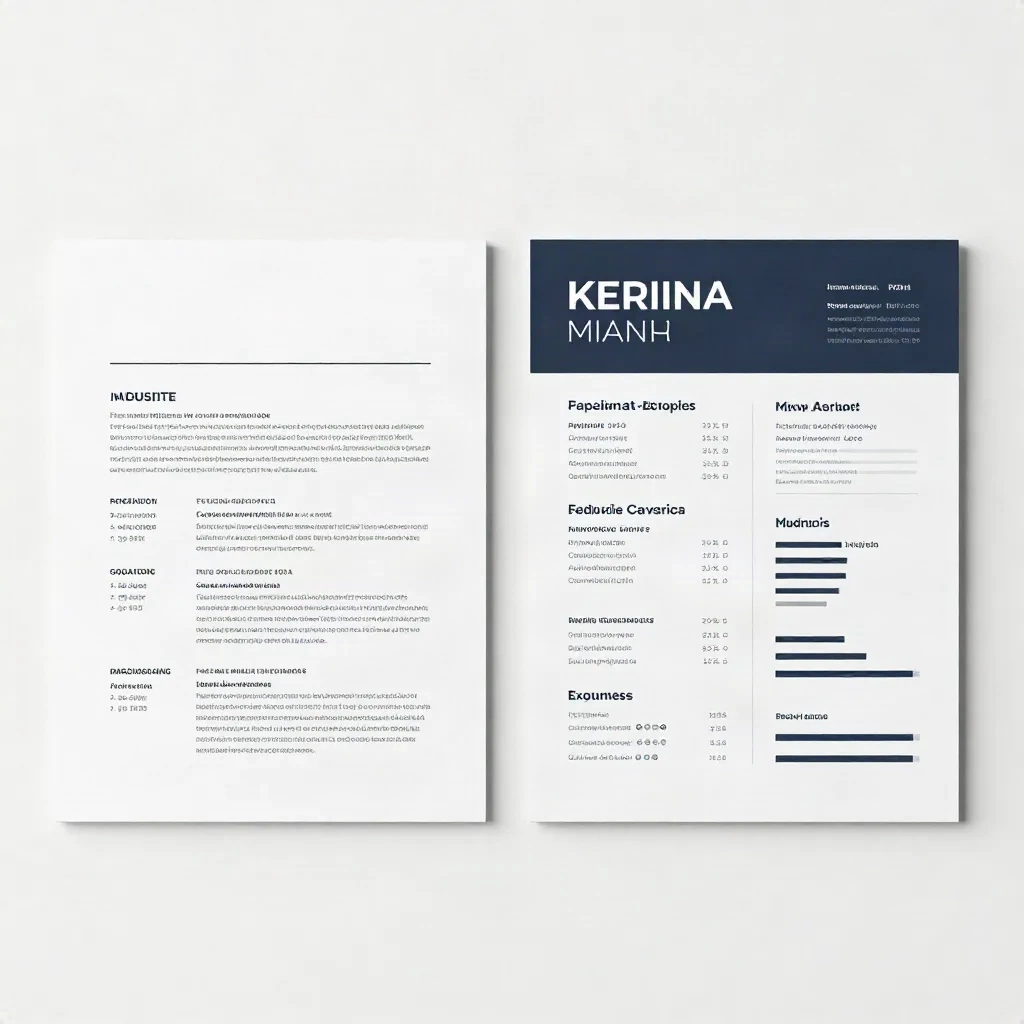
The three formats that work in 2026, and one that's finished
Enhanced Chronological is the default choice for most candidates. This is the evolved version of the classic: reverse-chronological work history with achievement-focused bullets (numbers required, not optional), a summary that mirrors the job description's language, and a Skills section positioned above your first role. Recruiters know how to scan this format instinctively. ATS scores it reliably.
Strategic Hybrid works for mid-career pivots. When your last job title doesn't match your next target, a hybrid leads with a Skills section and a reframed summary, then grounds the resume with chronological history. The key is the word strategic: the skills section demonstrates relevance, the history below it demonstrates substance. Without both, you look like a career changer hiding something.
Skills-First is only for specific cases: deep career changers or technical roles where the skills list is the actual credential, such as senior engineers, data scientists, and UX researchers switching industries. The risk: without clear chronological anchors, many ATS systems misclassify your experience dates or generate a lower confidence score on your parsed timeline. Only use this format if you can verify the ATS parsed output before submitting.
Pure Functional is finished. It hides employment gaps, which has always been its appeal. Recruiters in 2026 read that as a signal. ATS in 2026 gives it a lower relevance score because it can't anchor your skills to timeframes. I used it once, for a role I was underqualified for on paper. My ATS score came back at 31%. I stopped using it after that.
Single-column or two-column: the real answer
Two-column layouts look cleaner in screenshots. In ATS parsing, they introduce a specific problem that most guides don't explain clearly.
The issue isn't that ATS systems "can't read" two columns. Modern parsers can handle them. The issue is reading order. A two-column layout with text boxes gets parsed left-to-right, line by line: left column line 1, right column line 1, left column line 2, right column line 2. Your contact information interleaves with your first job title. Your certifications appear in the middle of your education section. The ATS tries to make sense of this and assigns data to the wrong fields.
The result: your phone number ends up in the Experience field. Your Skills section never gets scored as skills. Your parsed resume reads like a scrambled draft.
My rule: if the company uses Workday, Greenhouse, Lever, or Ashby, a text-selectable PDF with two columns will mostly parse correctly on current platform versions. But "mostly" is not a bet I'd make with a role I actually want. Single column is the safer choice for 70% of applications, specifically any application where you can't verify the ATS platform in advance.
What single-column means in practice: one flowing text column, left-aligned, with margins between 0.5 and 1 inch on all sides. Not two columns merged into one but an actual single-pass layout that a parser reads top to bottom without ambiguity.

Where you put your Skills section changes your ATS rank
This is the format decision that most 2026 resume guides bury or skip entirely.
65% of US enterprise hiring teams now filter candidates by specific required skills before reviewing job history. That filter happens in the ATS ranking layer. If your Skills section is positioned below your Education section, where it lived in standard templates from 2019, the ATS may score your skill-match lower because it encounters the relevant keywords later in the document.
The solution: put your Skills section immediately after your Professional Summary, above your first Work Experience entry. That positioning signals skill relevance early, improving your rank in the ATS queue.
What belongs in that Skills section: exact terms from the job description, not paraphrases. "Project management" and "project coordination" are not the same keyword to an ATS. "Salesforce CRM" and "CRM platforms" return different scores. Match the JD's language exactly, then add your additional skills below.
During my 60-application campaign, I tracked the ATS score difference between a generic skills list (same list, every application) and a tailored one (adjusted per JD). The gap ranged from 12 to 23 points depending on how keyword-specific the job description was. For roles at companies that write precise, skills-dense JDs, the gap was always at the higher end.
Tailoring the Skills section takes 4 minutes per application. That is the highest-ROI time you can spend on your resume.
PDF or DOCX: settle this now
In 2021, the advice was unanimous: send DOCX, PDFs break ATS parsing. That advice is outdated and still circulating in guides that haven't been updated.
Current reality: Workday, Greenhouse, Lever, and Ashby all parse text-selectable PDFs as accurately as DOCX. "Text-selectable" means you can highlight and copy text in the PDF with your cursor. If you exported your resume by printing to PDF rather than exporting natively from Word or Google Docs, you may have created an image-based PDF that no ATS can parse at all. Check yours now: open the file, try to select a word. If you can't highlight it, regenerate the PDF from your source document.
Default recommendation by scenario:
Apply through a standard ATS portal: PDF is fine
Job posting explicitly requests DOCX: send DOCX
Emailing directly to a recruiter or hiring manager: PDF (formatting survives email clients)
Applying to companies with legacy HR systems, such as government agencies and some manufacturing firms: DOCX is safer
One rule that applies to both formats: name your file with your name and the role. Not "resume_final_v3.pdf" but "FirstName-LastName-ProductManager.pdf." The file name is the first thing a recruiter sees in their ATS dashboard before they open your document.
The 70% rule for bullets, and how to fix yours now
At least 70% of your Work Experience bullets should include a measurable result. Not "Led cross-functional team on digital transformation." Instead: "Led 7-person team to deliver a digital inventory system 3 weeks ahead of deadline, reducing stockout incidents by 22%."
If you're below 70%, the fix is not to invent numbers. It's to go back to your memory and ask: what changed after my work? Growth percentages, time saved, cost reduced, accounts won, errors caught, volume processed, team size managed.
The bullets that don't have metrics still matter. They provide context for the ones that do. But during a 6-second scan, a recruiter's eyes go to digits first. Format your bullets so the metric appears within the first 60 characters of the line, not buried at the end of a long clause.
A reframe that worked for me during my own search: for each bullet I couldn't immediately quantify, I asked "compared to what?" Sometimes the answer revealed a number I hadn't thought to include. "Managed email campaigns" became "Managed 3 weekly email campaigns to 18,000 subscribers, maintaining 41% open rate over 6 months." That single question unlocked more numbered bullets than any other technique in my toolkit.
What AI-generated resumes can't fake in 2026
70% of job seekers now use AI to write their resumes. Recruiters know this. They've read thousands of AI-generated bullet points and the pattern is identifiable: action verb, vague result, no specificity, no company context.
"Spearheaded innovative strategies to drive organizational excellence and stakeholder alignment across departments." No recruiter reads that and registers "impressive." They register "AI" and move on.
The ATS gets you to the desk. The human decides in 6 seconds. Generic formatting and generic language both fail at that second stage.
Your format's job here is to give your genuine voice room to show. Short, specific bullets with real numbers. A summary that sounds like a person, not a company bio. A Skills section with the exact tools you actually use, in the order most relevant to this particular role.
Use AI to scan your resume against the job description, check your ATS score, and surface missing keywords. That is the legitimate use case. Don't use it to generate bullet points that describe your actual experience in language no one who did that work would choose.
Your specific projects, your real companies, your verified numbers, those are what survive a 2026 recruiter's trained eye. Get the format right so they're visible. Then make sure they're actually yours.
Run the scan. Fix the score. Keep the voice.